Technology
AI Tools Help Users Turn Existing Photos into Diwali Portraits
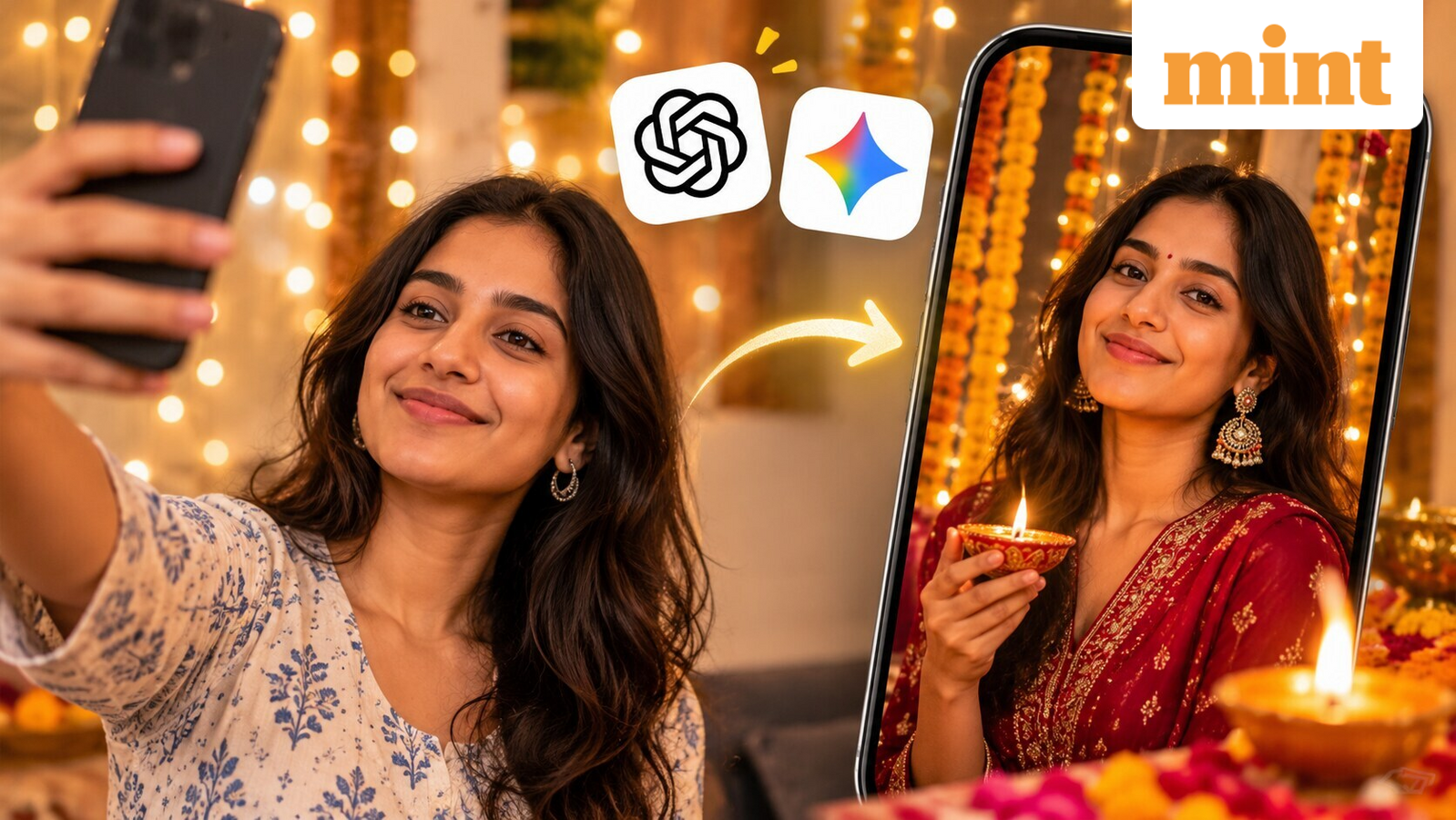
Diwali is a time for dressing up, taking photographs and sharing festive moments with friends and family. Getting the perfect picture can sometimes take more effort than expected, from finding the right background to choosing the perfect outfit. Artificial intelligence tools such as ChatGPT and Google Gemini offer another option. Users can upload an existing photograph and ask the tools to transform it into a festive portrait, complete with traditional outfits, glowing diyas, colourful decorations and warm lighting. Instead of starting with a completely new image, users can give these tools instructions to edit an existing photograph while retaining the person’s appearance. The results can be used for social media posts, festive greetings and personal photographs.
Quick answers to key questions
Upload a clear photograph and describe the outfit, festive background, colours and lighting you want. Ask the tool to preserve your facial features and expression. Specify the setting, decorations, colour palette and visual style, such as diyas, rangoli, flowers or warm golden lighting. Clear, specific instructions are more helpful than a broad request. Tell the tool to keep your face, hairstyle, skin tone and expression close to the original photograph. Check the edited image, since AI may not preserve every facial detail accurately.
Yes. Upload a family photograph and request coordinated traditional outfits and festive decorations. You can also ask the tool to keep everyone recognisable and not add or remove anyone. Ask for specific changes to the result instead of generating the whole image again. Before sharing, review the image; get permission before uploading or editing someone else’s photograph.
The quality of the result depends on the photograph and the instructions provided. A clear picture, specific details and simple directions can help the AI tool understand the desired look.
Seven prompts you can try on ChatGPT and Gemini this Diwali
1. "Edit my uploaded photograph into a realistic Diwali portrait. Dress me in an elegant traditional Indian outfit in deep red, gold and maroon shades. Place me in a beautifully decorated home with brass diyas, marigold garlands and a colourful rangoli. Use warm, natural festive lighting. Keep my face, hairstyle, skin tone and expression as close to the original photograph as possible."
2. "Turn my uploaded photograph into a royal Indian festive portrait. Dress me in a richly embroidered ethnic outfit with tasteful traditional jewellery. Set the scene inside a grand palace‑inspired room with carved pillars, golden lamps and traditional decorations. Make it look like a professional fashion photoshoot while keeping my original facial features and identity intact."
3. "Use my photograph to create a realistic Diwali evening portrait. Show me sitting beside a decorated window while holding a small glowing diya. Add marigold flowers, floating flower petals and softly lit lamps around me. Use warm golden lighting and a natural background. Keep my original face and expression unchanged."
4. "Transform our uploaded family photograph into a warm Diwali family portrait. Dress everyone in coordinated traditional Indian clothes in complementary festive colours. Add a beautifully decorated living room with diyas, rangoli, flowers and fairy lights. Keep every family member’s face, expression, age and appearance recognisable. Do not add or remove anyone."
5. "Edit my uploaded photograph into an elegant traditional Indian festive portrait. Dress me in a beautiful silk saree with a rich border, matching blouse, traditional earrings and subtle jewellery. Add a background decorated with brass lamps, flowers and warm fairy lights. Make the photograph look like a professional festive fashion shoot while preserving my original face and natural appearance."
6. "Transform my photograph into a glamorous Bollywood‑inspired Diwali photoshoot. Give me a stylish designer ethnic outfit, statement jewellery and a beautifully decorated festive setting with glowing lamps and golden lights. Use professional portrait photography, rich colours and soft cinematic lighting. Keep my facial features, body proportions and identity consistent with the uploaded image."
7. "Create a dreamy but realistic Diwali night portrait using my uploaded photograph. Place me on a beautifully decorated balcony with hundreds of tiny glowing lights, diyas and colourful festive decorations in the background. Add a soft night sky and a warm golden glow. Use a cinematic portrait style with natural skin texture. Preserve my original face, hairstyle and expression."
To get better results, start by uploading a clear photograph with good lighting. Mention the outfit, background, colours and photography style you want instead of using broad instructions such as ‘make it beautiful’. It is also useful to tell the tool what it should not change. For example, users can specifically ask it to preserve their facial features, hairstyle, skin tone and expression. If the first result is not satisfactory, they can ask for specific changes rather than generating the entire photograph again. However, AI‑generated edits are not guaranteed to preserve every facial detail accurately. Users should check the final image before sharing it, particularly when creating photographs with several family members. It is also important to have permission before uploading or editing someone else’s photograph.
Trisha Bhattacharya is a Senior Content Producer at Livemint, with over two years of experience covering entertainment news from India and beyond. She holds a Master’s degree in English Literature from Lucknow University and has previously worked with India Today as an entertainment journalist and film critic. She enjoys working at the intersection of media, culture and audience interest, and brings a passion for films, shows, music and internet trends to her writing.